


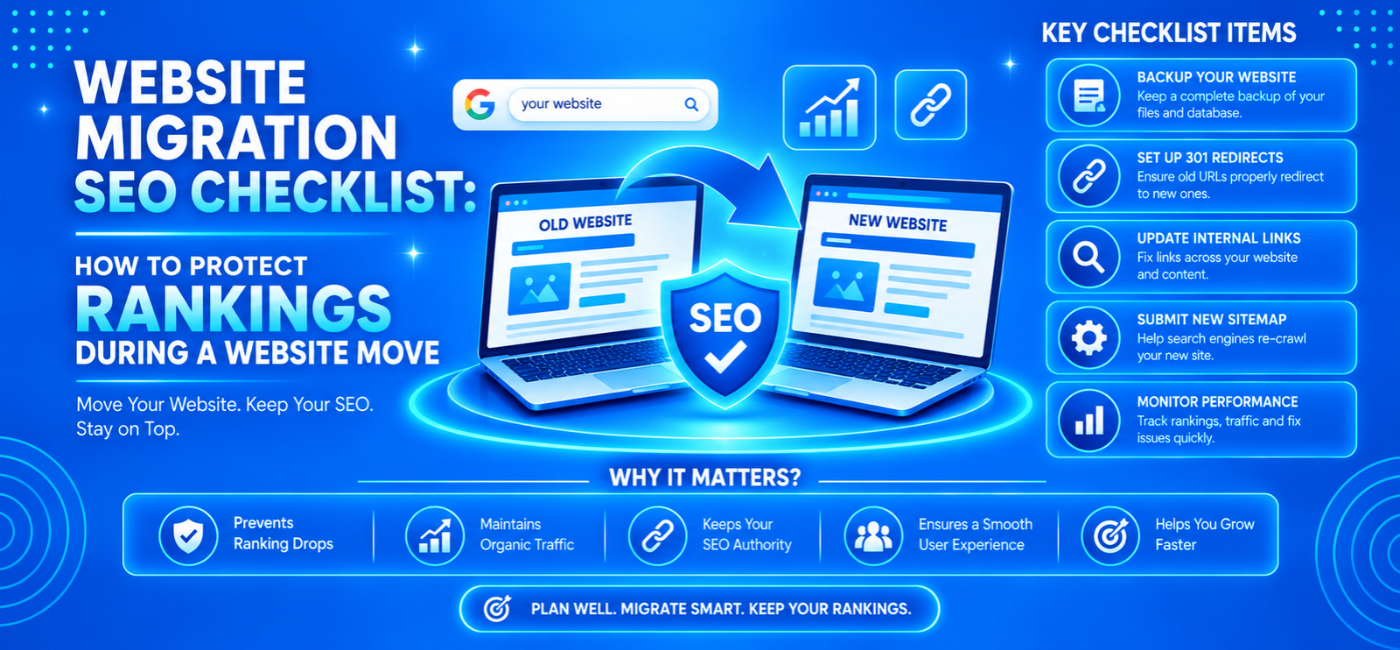
Moving your website can improve performance, simplify management, and support business growth. It can also disrupt organic traffic if important URLs, content, redirects, or indexing settings are handled incorrectly.
A website migration SEO checklist helps you coordinate the move before those problems reach your live website.
The essential process is straightforward: document the existing site, preserve valuable content, map changing URLs, test the new environment, launch the correct redirects, and monitor what happens afterward. Google follows the same broad sequence in its site-move guidance.
No checklist can guarantee unchanged rankings. However, careful preparation reduces avoidable mistakes and gives your team a clear way to diagnose problems.
Table of Contents
- Understand what kind of move you are making
- Establish ownership and a launch plan
- Record your current SEO performance
- Build a complete URL inventory
- Map old URLs to relevant destinations
- Protect content and page-level signals
- Test the staging website
- Prepare permanent redirects
- Complete launch-day checks
- Use Search Console appropriately
- Monitor the move after launch
- Troubleshoot traffic losses
- Frequently asked questions
- Conclusion and next step
Understand What Kind of Move You Are Making
Not every migration needs the same actions.
A hosting change that preserves every public URL is different from moving to a new domain or rebuilding an online store on another platform.
| Migration type | Example | Main SEO checks |
| Hosting change | New server, same URLs | Availability, response codes, DNS, rendering |
| Domain change | Old brand domain to a new domain | Redirects, ownership verification, address-change process |
| CMS change | Existing platform to a new CMS | Content, URLs, templates, metadata, indexing |
| URL restructuring | /page?id=12 becomes /services/ | Destination mapping, redirects, internal links |
| Redesign | New layouts and navigation | Content preservation, links, mobile experience |
| HTTPS migration | HTTP URLs become HTTPS | Certificates, redirects, canonical URLs, mixed content |
Google separates infrastructure-only changes from moves involving URL changes. Start by identifying which category applies rather than using every migration instruction indiscriminately.
Where practical, avoid changing the domain, CMS, design, and content strategy simultaneously. Staging major changes makes unexpected results easier to investigate.
1. Establish Ownership Before Development Starts
A migration should have a named owner and clearly assigned responsibilities.
Document who handles:
- SEO requirements.
- Development and hosting.
- Content decisions.
- Redirect implementation.
- Analytics and conversion tracking.
- Launch approval.
- Post-launch monitoring.
Also define the launch window, communication channel, backups, and escalation process.
Decide what should delay launch
Write down clear blockers. Examples include missing redirects for valuable pages, sitewide indexing restrictions, broken checkout, or unavailable service pages.
A deadline should not override unresolved critical failures.
Prepare a rollback procedure, but do not reverse a functioning migration merely because rankings fluctuate. First determine whether there is a genuine technical or commercial failure.
2. Record Your Current SEO Performance
Without a baseline, it is difficult to distinguish a migration problem from seasonal demand, tracking changes, or an existing decline.
Save:
- Organic clicks and impressions.
- Important search queries.
- Landing-page traffic.
- Leads, bookings, or sales.
- Indexed-page information.
- Existing crawl findings.
- Performance data for key templates.
- Pages receiving external links.
Use a period that reflects your business. A seasonal retailer may need comparisons with the equivalent period last year, not only the previous week.
Prioritize commercially important pages
Your most valuable page is not necessarily your highest-traffic article.
Identify pages that generate qualified enquiries, purchases, or useful assisted conversions. Give those pages extra testing attention.
For the broader checks behind this baseline, use NP Creations technical SEO audit checklist.
3. Build a Complete URL Inventory
Do not rely on the main navigation to identify everything that needs preserving.
Combine information from:
- A website crawl.
- XML sitemaps.
- CMS exports.
- Analytics landing pages.
- Search Console.
- Backlink reports.
- Server logs where available.
Include images, PDFs, videos, and other assets that receive search traffic or external links. Google specifically recommends considering these resources when planning a move.
Create a working migration sheet
| Existing URL | Proposed destination | Decision | Priority | Validation |
| /services/local-search/ | /local-seo/ | Move | High | Pending |
| /old-guide/ | /complete-guide/ | Consolidate | Medium | Pending |
| /expired-offer/ | None | Remove | Low | Pending |
Every important URL should have an intentional decision. “We forgot about it” is not a migration strategy.
4. Map Old URLs to Relevant New Pages
The redirect map connects your existing website to its replacement.
For each changing URL, decide whether to:
- Preserve the same address.
- Move it to an equivalent page.
- Consolidate it into a genuinely relevant resource.
- Remove it without a replacement.
Keep URLs unchanged when there is no clear reason to modify them.
Match the purpose, not just the wording
An old service page should lead to the equivalent service, not whichever new page has a similar title.
For example, a page about commercial property leasing should not redirect to a general residential property listing.
Google warns against redirecting many unrelated pages to one destination, such as the homepage. Those redirects can confuse visitors and may be treated as soft 404s.
If content has genuinely disappeared and no useful replacement exists, return an appropriate 404 or 410 response rather than inventing an irrelevant destination.
5. Protect Content and Page-Level Signals
A visually improved page can still lose useful information during a rebuild.
Compare old and new versions for:
- Main copy.
- Titles and descriptions.
- Headings.
- Product or service details.
- Images and alternative text.
- Internal links.
- Structured data.
- Canonical tags.
- Language annotations.
- Calls to action.
Avoid combining migration with indiscriminate rewriting
If a page already attracts suitable customers, do not remove its explanations merely to create a cleaner-looking layout.
Preserve the information that helps users make decisions. Improve it deliberately after reviewing performance and intent.
NP Creations SEO content writing guide can help your team evaluate usefulness and structure before rewriting important pages.
6. Test the Staging Website Properly
A staging website lets your team investigate problems before customers encounter them.
Use authentication or another suitable access-control method to protect the development environment. Robots.txt alone is not a privacy mechanism.
If development uses noindex directives or crawl restrictions, document exactly which settings must change at launch.
Google identifies forgotten noindex settings and robots.txt blocks as common migration errors.
Check representative templates
Test at least one example of every important page type:
- Homepage.
- Service page.
- Category page.
- Product page.
- Article.
- Location page.
- Contact page.
- Search or filter interface.
For larger sites, test both common examples and edge cases, such as unavailable products or unusually long pages.
Test real customer actions
Confirm that forms, calls, booking tools, checkout, menus, and downloads work.
A migration can preserve search visibility while breaking enquiries. That is still a failed business outcome.
7. Prepare Permanent Redirects
For permanent URL moves, Google recommends server-side permanent redirects, such as 301 or 308, where technically possible.
Each old URL should ideally redirect directly to its final destination.
Avoid:
Old page → intermediate page → another page → final destination
Prefer:
Old page → final destination
Test the complete destination
A successful redirect is not enough if the destination:
- Returns an error.
- Contains a noindex directive.
- Canonicalizes an unrelated page.
- Requires login.
- Displays the wrong content.
- Redirects again unexpectedly.
Check URL variants, trailing slashes, important parameters, and domain versions where relevant.
8. Review Mobile Usability and Performance
A new theme, page builder, or application stack can change loading performance and usability.
Review:
- Main-content loading.
- Interaction responsiveness.
- Layout stability.
- Image sizes.
- Third-party scripts.
- Mobile navigation.
- Forms and checkout.
- Content parity.
Test on real phones, not only a desktop browser preview.
Use NP Creations mobile SEO optimization guide to check whether key content and conversion paths remain usable after the move.
Performance should be reviewed alongside content and indexing, not treated as a substitute for them.
9. Complete Launch-Day SEO Checks
Launch day needs a defined validation sequence.
Availability and access
- Production pages load successfully.
- HTTPS works on the required domain versions.
- Public pages do not inherit development restrictions.
- Essential resources load correctly.
- Hosting can handle normal visitors and crawler activity.
URLs and signals
- Changing URLs use the approved redirects.
- Canonicals reference the correct production URLs.
- Internal links point directly to final destinations.
- Language annotations use current addresses.
- Structured data reflects the live pages.
- The new sitemap contains intended canonical URLs.
Business measurement
- Analytics loads correctly.
- Forms reach the correct recipients.
- Conversion events work.
- Checkout and booking flows function.
- The launch date is recorded in reporting notes.
Google recommends updating internal links, canonical annotations, language references, and sitemaps as part of the move.
10. Use Search Console Appropriately
Verify the relevant old and new properties before launch, and ensure verification continues afterward.
Submit the new sitemap and inspect representative destination pages.
When should you use Change of Address?
Google says the tool applies when moving between domains or subdomains. It is not required for:
- HTTP-to-HTTPS changes.
- Switching between www and non-www on the same domain.
- Changing paths within the same domain.
For domain migrations, review Google’s instructions for verified domain variants rather than submitting only the most visible version.developers.
The tool supports the migration process; it does not replace redirects.
11. Monitor the Move After Launch
Monitor the old and new URLs together where appropriate.
Review:
- Search clicks and impressions.
- Indexing changes.
- Important landing pages.
- Redirect failures.
- Server errors.
- Googlebot activity where logs are available.
- Leads and sales.
- Tracking accuracy.
Google says temporary ranking fluctuations can occur while it recrawls and reindexes a moved site. Smaller and medium-sized websites may take a few weeks for most pages to move; larger sites can take longer. This is guidance, not a fixed completion deadline.
Keep redirects active
Google recommends retaining redirects for as long as possible, generally at least one year. Keeping them longer can also help people using old links and bookmarks.
Maintain the domain registration, certificates, and infrastructure needed for those redirects to function.
12. Investigate Traffic Loss Before Making More Changes
Do not assume every decline has the same cause.
| Symptom | First investigation |
| Organic sessions collapse, Search Console clicks remain stable | Analytics implementation |
| New pages are not appearing | Access, indexing directives, canonical signals |
| Important old URLs return errors | Redirect mapping and deployment |
| Traffic remains steady but leads fall | Forms, booking tools, checkout, audience fit |
| One section declines sharply | Template changes, missing content, links |
| New URLs appear while old URLs decline | Evaluate the combined transition before judging |
Avoid launching several speculative fixes simultaneously. Record the evidence, change one clearly identified issue where practical, and validate the result.
Frequently Asked Questions
1. What should a website migration SEO checklist include?
It should cover performance baselines, URL inventories, destination mapping, content preservation, redirects, staging tests, indexing controls, analytics, launch validation, and ongoing monitoring.
2. Will a website move always cause ranking losses?
No. Outcomes vary. Google says temporary fluctuations can happen during significant changes, but careful preparation helps avoid preventable technical problems. Unchanged rankings cannot be guaranteed.
3. Do I need redirects if only my hosting changes?
Not solely because hosting changes. If public URLs remain identical, concentrate on availability, DNS, security, rendering, and performance. Redirects are needed when addresses change.
4. How long should migration redirects stay active?
Google recommends keeping them for as long as possible, generally at least one year. Longer retention can help users and sites that still reference old URLs.
5. Can I redirect all old pages to the homepage?
Avoid doing so when the homepage is not a relevant replacement. Map pages to equivalent destinations, consolidate genuinely related content, or return appropriate removal responses.
6. Should I change the domain and redesign simultaneously?
Where practical, separate major changes. Google recommends changing one thing at a time so problems are easier to identify and manage.
7. When should a specialist become involved?
Before the new structure is finalized—especially for domain changes, large catalogues, multilingual sites, or websites that depend heavily on organic leads and revenue.
Conclusion
Protecting organic visibility during a move depends on preparation, accurate implementation, and careful validation.
Preserve valuable content, account for important URLs, redirect to relevant destinations, remove temporary development restrictions, and monitor both search performance and customer actions.
A successful launch is not simply a website that looks correct. It is a website that remains discoverable, usable, and commercially functional.
Plan the Migration Before You Launch
Need help reviewing migration risks? Explore NP Creations AI SEO services and discuss whether the engagement can include pre-launch audits, redirect validation, and post-launch monitoring.
Share your current website, proposed platform or domain changes, and target launch date through NP Creations contact page so the required scope can be assessed.