
























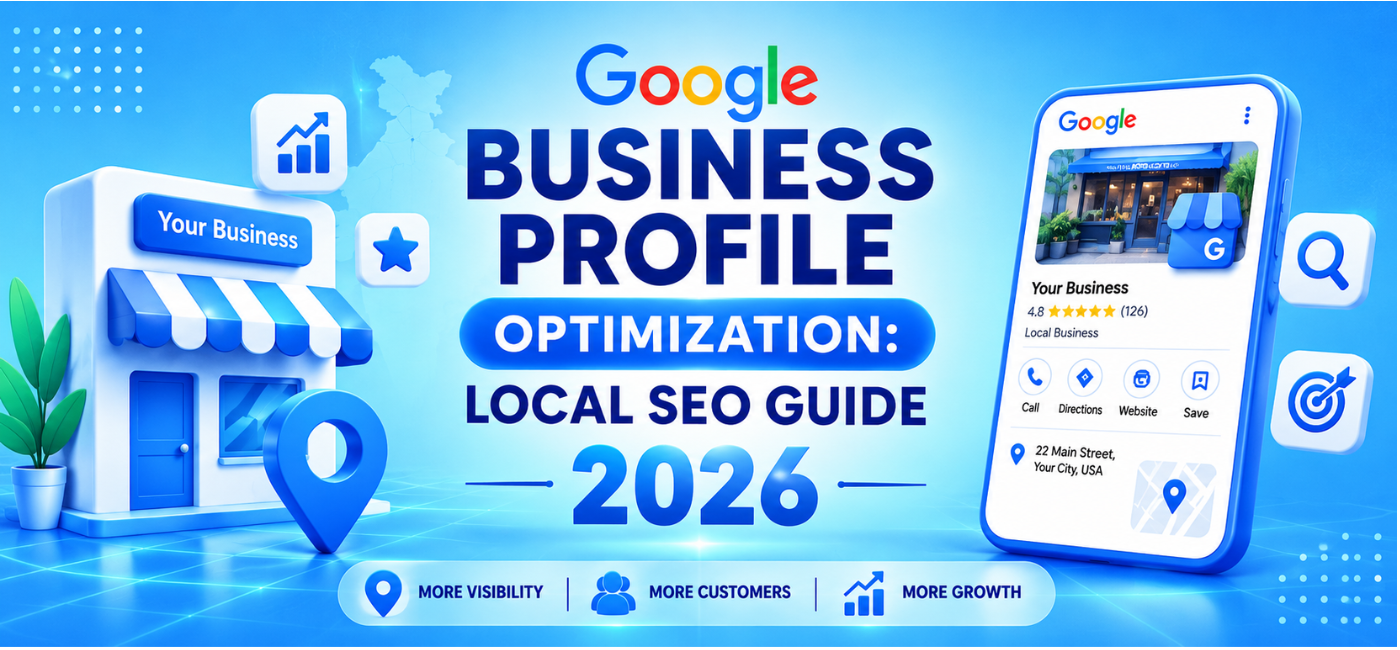
When someone searches for “restaurant near me,” “plumber in [city],” “digital marketing agency nearby,” or “dentist open now,” Google often shows local results before traditional organic listings. For many businesses, those Google Maps results are where calls, direction requests, bookings, and walk-ins begin.
That makes Google Business Profile optimization one of the most valuable local marketing activities in 2026. A complete, accurate, and actively managed profile makes it easier for nearby customers to find your business, understand what you offer, and choose you over competing listings.
This guide explains how to optimize your profile properly, build stronger local signals, earn better reviews, improve website alignment, and measure the actions that matter to your business.
Table of Contents
- What is a Google Business Profile?
- Why Google Business Profile matters for local SEO
- How Google local rankings work
- Claim and verify your profile
- Choose the right business category
- Complete every profile field
- Write an effective business description
- Optimize products and services
- Add photos and videos consistently
- Get and respond to reviews
- Use Google Business Profile posts
- Manage questions and answers
- Keep name, address, and phone details consistent
- Connect your website and local SEO
- Track performance and local actions
- Common mistakes to avoid
- 30-day optimization plan
- FAQs
- Conclusion and CTA
What Is a Google Business Profile?
A Google Business Profile is a free business listing that can appear in Google Search and Google Maps. It allows businesses to display key information such as:
- Business name.
- Address.
- Phone number.
- Website URL.
- Opening hours.
- Categories.
- Products or services.
- Customer reviews.
- Photos and videos.
- Booking or ordering links.
- Business updates.
- Directions.
For a local customer, the profile often becomes the first impression of a business. They may decide whether to call, visit, book, or move to another option without ever opening the company website.
Why Google Business Profile Matters for Local SEO
A Google Business Profile can help a business appear when users search for nearby products, services, or locations. Google states that local results are intended to show businesses that are relevant to the search, nearby where appropriate, and prominent based on information Google has about the business.
A well-managed listing can help generate:
- Phone calls.
- Website visits.
- Direction requests.
- Table reservations.
- Appointment bookings.
- WhatsApp or enquiry actions where available.
- Store visits.
- Local brand awareness.
For businesses that serve customers in specific locations, local visibility may be more valuable than ranking nationally for broad terms.
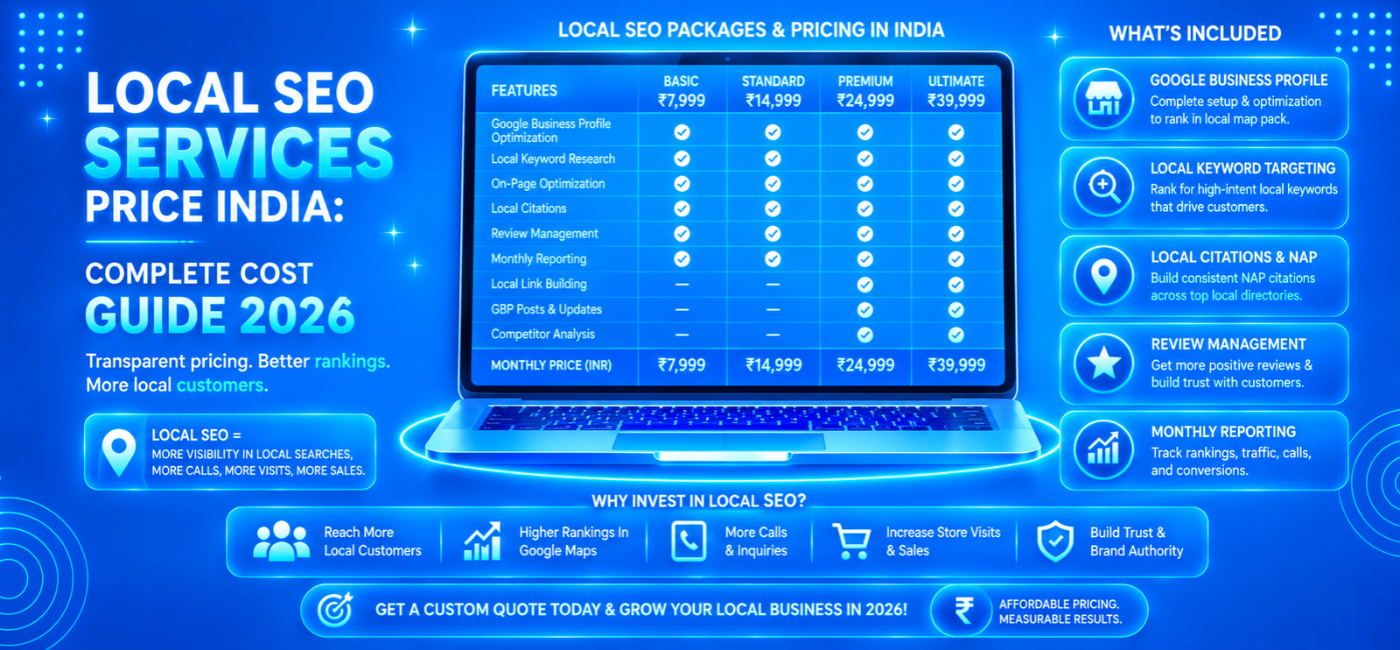
NP Creations offers local SEO services focused on helping businesses rank in local searches through Google Business Profile optimization, local keyword targeting, location-focused content, and related local SEO work.
How Google Local Rankings Work
Google generally describes local ranking through three core factors:
| Local ranking factor | What it means |
| Relevance | How closely your business matches what someone is searching for |
| Distance | How close the business is to the searcher or stated location |
| Prominence | How well-known and trusted the business appears online |
You cannot change a user’s physical location, but you can improve relevance and prominence.
Improve relevance
Relevance improves when your listing clearly explains:
- Your primary business category.
- Secondary categories.
- Services.
- Products.
- Business description.
- Website content.
- Attributes.
- Menu or service details.
Improve prominence
Prominence can be influenced by:
- Genuine customer reviews.
- Review quality and frequency.
- Links from relevant websites.
- Accurate directory listings.
- Local press mentions.
- Brand searches.
- Active profile management.
- Strong website content.
Google specifically recommends keeping business information complete and accurate, including address, phone number, business type, operating hours, and additional details such as parking or Wi-Fi where applicable.
Claim and Verify Your Profile
The first step is to claim ownership of your business profile and complete the available verification process.
Basic setup process
- Sign in with a Google account controlled by the business.
- Search Google Maps to check whether a listing already exists.
- Claim the listing if it exists, or create a new one if it does not.
- Enter the real business name used on your signage and official materials.
- Choose the correct business category.
- Add accurate contact and location details.
- Complete the verification method offered by Google.
Do not create duplicate listings for the same physical business location. Duplicate profiles can confuse customers and make management difficult.
Keep account access secure. Use a business-owned email address rather than relying only on an employee’s personal Gmail account.
Choose the Right Primary Category
Your primary category is one of the most important relevance signals. It tells Google what type of business you are.
A dentist should choose “Dentist,” not a broad category such as “Health.” A restaurant should choose the category that best describes its actual business rather than selecting every food-related option available.
Category selection tips
- Choose the most specific category that accurately describes your main offering.
- Add relevant secondary categories only where they reflect real services.
- Review local competitors that rank for important searches.
- Avoid categories for services you do not offer.
- Revisit categories when your business model changes.
For example, a business that provides SEO, web design, and paid advertising may need to decide which service drives its core revenue and use the closest relevant primary category. Supporting categories can then reflect genuine additional services.
Complete Every Profile Field
Incomplete profiles miss opportunities to appear for relevant searches and make it harder for customers to trust the business.
Complete the fields that apply to your business:
- Business name.
- Primary and secondary categories.
- Full address.
- Service areas.
- Phone number.
- Website URL.
- Business hours.
- Special and holiday hours.
- Appointment or booking link.
- Products.
- Services.
- Business description.
- Attributes.
- Accessibility details.
- Payment options.
- Amenities.
- Opening date where applicable.
- Social links where supported.
A profile should remain accurate all year, not only when first created. Update special hours before holidays, temporary closures, relocations, menu changes, and service changes.
Write a Useful Business Description
Your business description should tell customers what you do, who you serve, and why they should choose you. It should read naturally and should not be a list of repeated keywords.
A practical description can include:
- Your main services.
- Your city or service area.
- Your experience or specialization.
- Your customer type.
- Your key differentiator.
- A natural invitation to contact or visit you.
Example
“ABC Dental Clinic provides family dentistry, cosmetic treatments, dental implants, and emergency dental care in Indore. Our experienced team focuses on comfortable treatment, clear communication, and convenient appointment options for patients of all ages.”
This description is useful because it gives a customer the information they need. It does not need to repeat “best dentist in Indore” several times.
Optimize Products and Services
The products and services section gives Google and users more detailed information about your business.
Use it to add:
- Service names.
- Product categories.
- Short descriptions.
- Pricing ranges where appropriate.
- Availability details.
- Booking or ordering information.
Service business, this may include items such as:
- Website design.
- SEO audit.
- Local SEO.
- Google Ads management.
- Social media advertising.
- ECommerce development.
For a restaurant, it may include menu categories, popular dishes, dining options, and delivery information. For a clinic, it may include treatment types and appointment details.
The goal is to make the profile useful for searchers who are ready to take action.
Add Photos and Videos Consistently
People often choose a local business based on visual trust. Photos help customers understand what to expect before they visit.
Upload genuine images of:
- Exterior signage.
- Building entrance.
- Interior space.
- Team members.
- Products.
- Completed work.
- Before-and-after results were appropriate and compliant.
- Events.
- Menu items.
- Facilities.
- Parking access.
For restaurants, clinics, salons, retailers, and hospitality businesses, current photos can strongly affect customer decisions.
Photo best practices
- Use clear, well-lit images.
- Upload original photos whenever possible.
- Avoid heavily edited or misleading visuals.
- Add new photos regularly.
- Include both business identity and customer experience.
- Keep images relevant to your actual location and services.
Many local SEO guides recommend maintaining a regular cadence of profile updates, including new photos, review replies, posts, and checks for business-information accuracy.
Build a Consistent Review Strategy
Reviews influence both customer trust and local visibility. A business with genuine recent reviews and helpful owner responses often looks more credible than one with outdated feedback or no reviews.
How to request reviews ethically
- Ask after a successful service or completed purchase.
- Share a direct review link by SMS, email, or WhatsApp.
- Add a QR code at the billing counter or reception desk.
- Train staff to ask politely at the right moment.
- Keep requests simple.
- Do not offer rewards in exchange for positive reviews.
- Do not pressure customers to write a specific type of review.
Respond to every review
Replying to reviews shows that your business is active and customer-focused.
For positive reviews:
- Thank the customer personally.
- Reference the service or experience naturally.
- Keep the response genuine and concise.
For negative reviews:
- Stay calm and professional.
- Acknowledge the concern.
- Avoid arguing publicly.
- Invite the customer to continue the conversation privately.
- Use feedback to improve operations where needed.
Do not use a copy-paste response for every review. Customers can recognize generic replies quickly.
Publish Google Business Profile Posts
Google Business Profile posts allow businesses to share updates, offers, events, announcements, and useful information.
Use posts for:
- Seasonal offers.
- New product launches.
- Service updates.
- Events.
- Holiday announcements.
- New blog content.
- Customer success stories.
- Booking reminders.
- Local community involvement.
A post should include a clear message, relevant image, and a practical call to action. For example:
- Book now.
- Learn more.
- Call today.
- View menu.
- Get directions.
- Request a quote.
Regular posts are not a substitute for a good website, but they help keep your listing active and useful. Current local SEO guidance commonly recommends completing profile fields, managing reviews, adding photos, and publishing regular updates as part of ongoing optimization.
Manage Questions and Answers
Customers may ask questions directly on a Google Business Profile. If those questions are not monitored, inaccurate information may remain visible.
Review your Q&A section regularly for questions about:
- Prices.
- Availability.
- Parking.
- Delivery.
- Opening hours.
- Appointments.
- Service areas.
- Payment options.
- Product suitability.
Answer questions clearly and accurately. You can also prepare answers to frequent customer questions through your website FAQs, service descriptions, and business profile content.
For restaurants, menus, service options, and food preferences should be updated when needed. For professional services, common questions may focus on the consultation process, timelines, pricing, and appointment availability.
Keep NAP Information Consistent
NAP stands for Name, Address, and Phone number. Your core business details should match across your website, Google Business Profile, social profiles, local directories, and industry listings.
Inconsistencies can create confusion for customers and reduce confidence in business information.
Check the following regularly:
- Business spelling.
- Address formatting.
- Postal code.
- Phone number.
- Website URL.
- Opening hours.
- Business category.
- Location pin.
- Service area.
For example, if your website uses one phone number but your Google profile uses an old number, customers may fail to reach you. If your address changes, update every important platform quickly.
Connect Your Website and Local SEO
Google Business Profile should not work alone. Your website should confirm the information shown on your profile and provide more detail about your services.
Your website should include:
- Consistent business name, address, and phone number.
- A clear contact page.
- Location or service-area information.
- Service pages.
- Embedded map where useful.
- Local business schema.
- Relevant testimonials.
- Clear calls to action.
- Mobile-friendly contact and booking options.
Businesses with multiple locations should create useful location pages with unique information instead of publishing thin pages that only swap city names.
If you need help improving both search visibility and website conversion performance, NP Creations’ AI SEO services can support SEO research, content planning, technical optimization, and conversion-focused workflows.
Use Local Content to Support Your Profile
Your website content can strengthen local relevance when it answers questions that customers in your area actually ask.
Useful local content ideas include:
- City-specific service guides.
- Local event pages.
- Area-based case studies.
- Local customer stories.
- Seasonal service advice.
- Neighbourhood service pages.
- Local buying guides.
- Community participation updates.
For example, a restaurant could create content around local food events, new menu launches, or catering services in specific areas. A digital agency could publish location-specific pages that clearly describe the services available to businesses in that city.
NP Creations’ article on local SEO for restaurants in India provides a related example of using Google Business Profile, reviews, local content, and maps visibility to attract nearby customers.
Track the Actions That Matter
Google Business Profile performance data can help you understand how people interact with your listing.
Review metrics such as:
- Search views.
- Map views.
- Calls.
- Website clicks.
- Direction requests.
- Booking actions.
- Message interactions where available.
- Photo views.
- Search terms that triggered your listing.
Do not focus only on visibility. A profile that receives fewer views but more calls, enquiries, and bookings may be more valuable than one with high exposure but low business impact.
Monthly reporting questions
- Which search terms are bringing users to the profile?
- Are calls increasing?
- Are direction requests rising?
- Are reviews being received consistently?
- Is the profile information still accurate?
- Are competitors adding more content or reviews?
- Which posts generated actions?
- Are website visitors from the profile converting?
Common Mistakes to Avoid
Keyword stuffing the business name
Do not add extra keywords, locations, or service phrases to your business name unless they are part of the real-world name used consistently on signage, legal documents, and branding.
Choosing inaccurate categories
Select categories that reflect real services. Do not add irrelevant categories just because competitors use them.
Ignoring reviews
Reviews should be actively monitored and answered. A profile with unanswered complaints can discourage potential customers.
Forgetting holiday hours
Incorrect hours lead to poor customer experience and lost trust. Update special hours ahead of holidays, events, and closures.
Uploading low-quality photos
Dark, blurry, outdated, or stock-looking images can reduce confidence. Use real, current visuals.
Creating duplicate profiles
One physical location should generally have one accurate listing. Duplicate listings can cause confusion and management issues.
Leaving profile details incomplete
Missing services, descriptions, attributes, website links, or business hours can limit relevance and reduce conversions.
Treating local SEO as a one-time task
Local competitors change often. Ongoing review management, photo updates, posts, citation checks, and website improvements are necessary to maintain visibility.
30-Day Google Business Profile Optimization Plan
1 Week: Set up the essentials
- Claim and verify your profile.
- Confirm ownership access.
- Select the correct primary category.
- Add relevant secondary categories.
- Check name, address, phone number, and website.
- Set regular and special hours.
2 Week: Complete profile content
- Write or improve the business description.
- Add products and services.
- Complete relevant attributes.
- Upload exterior, interior, team, and product photos.
- Add booking, menu, or appointment links where available.
3 Week: Build trust
- Create a review-request process.
- Ask recent satisfied customers for honest feedback.
- Respond to all existing reviews.
- Check the Q&A section.
- Update any inaccurate customer-facing information.
4 Week: Improve and measure
- Publish a useful post.
- Upload fresh photos.
- Review performance data.
- Compare your listing with local competitors.
- Check NAP consistency across important platforms.
- Plan the next month’s updates.
Conclusion
A Google Business Profile is not simply an online directory listing. It is a high-intent local discovery channel where customers decide whether to call, visit, book, or buy.
The strongest profiles are accurate, complete, visually current, review-driven, and connected to a useful local website. Start with the basics—verification, categories, contact information, services, photos, and reviews—then build a monthly process for posts, performance checks, and local content.
Consistent management can help your business remain visible and competitive when nearby customers are ready to choose a provider.
Frequently Asked Questions
1. What is Google Business Profile optimization?
It is the process of improving your Google business listing so local customers can find accurate information, trust your business, and take actions such as calling, visiting your website, booking, or requesting directions.
2. Does Google Business Profile help with local SEO?
Yes. A complete and actively managed profile can support visibility in Google Search and Maps for relevant local searches.
3. How often should I update my Google Business Profile?
Review it at least weekly for new reviews, questions, hours, posts, and photo opportunities. Check more frequently during busy periods, holidays, or promotional campaigns.
4. Do Google reviews help local rankings?
Reviews can help build trust and contribute to your profile’s prominence. More importantly, recent and genuine reviews can influence whether customers choose your business.
5. Can I add keywords to my Google Business Profile name?
Use your actual business name only. Adding extra keywords or locations to a name that does not match your real-world branding may create policy issues.
6. What is the most important Google Business Profile ranking factor?
There is no single factor. Google emphasizes relevance, distance, and prominence. Complete information, accurate categories, reviews, local trust signals, and a strong website can all contribute.
7. Should service-area businesses show their address?
It depends on your business model. If customers do not visit your location, you may set up a service-area business profile and hide the address where appropriate. Use the profile settings that accurately reflect how your business operates.