
























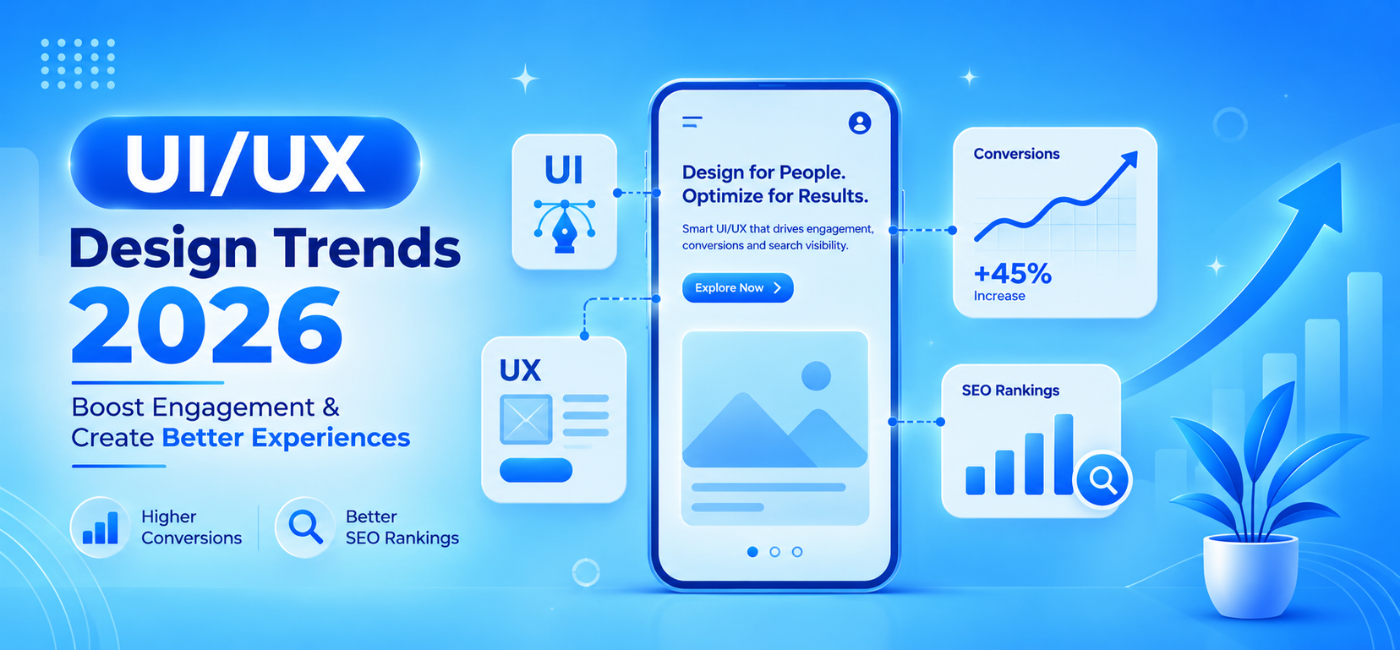
A modern website is no longer judged only by how it looks. Visitors expect a site to load quickly, feel easy to use on mobile, explain its value clearly, and guide them toward the next step without unnecessary friction.
That is why UI/UX design trends 2026 are increasingly connected to conversion performance and search visibility. A visually impressive site can still underperform if it is slow, difficult to navigate, inaccessible, or unclear about what users should do next.
In 2026, high-performing websites focus on speed, clarity, accessibility, relevant personalization, and purposeful interactions. These principles improve the experience for real visitors while supporting technical SEO signals such as mobile usability, page speed, responsiveness, and visual stability.
This guide explains the UI and UX trends that matter most, how they influence conversions and SEO, and how businesses can apply them without chasing every temporary design trend.
Table of Contents
- Why UI/UX affects conversions and SEO
- Performance-first design
- AI-driven personalization
- Clarity-first minimalism
- Accessibility as a design standard
- Mobile-first experiences
- Purposeful micro-interactions
- Trust-driven design
- Better navigation and information architecture
- Conversational and self-service UX
- Design systems for consistency
- Using 3D and immersive elements carefully
- Privacy-first user experience
- How to connect UX metrics to business results
- UI/UX design checklist
- FAQs
- Conclusion and CTA
Why UI/UX Affects Conversions and SEO
UI refers to the visual parts of a website or product, including typography, colors, buttons, layouts, forms, images, and navigation elements.
UX refers to the complete user experience: how easily someone can find information, understand an offer, complete an action, recover from an error, or get help.
Good UI/UX can support:
- Lower friction.
- Better engagement.
- More form submissions.
- Higher add-to-cart rates.
- Stronger booking and enquiry rates.
- More time on important pages.
- Better mobile usability.
- Faster page loading.
- More trust in the brand.
SEO and UX are not identical. A visually attractive design does not automatically improve rankings. However, design choices directly affect crawlability, performance, content visibility, Core Web Vitals, mobile usability, page structure, and conversion paths.
Modern UX guidance emphasizes that user-first layouts, clear navigation, accessible interfaces, and strong performance should take priority over trend-driven decoration.
Performance-First Design
Performance is a user-experience feature. If a page is slow, delayed, or unstable, users may leave before they understand the offer.
The three Core Web Vitals commonly used to evaluate page experience are:
| Metric | What it measures | Practical target |
| Largest Contentful Paint (LCP) | Main content loading speed | 2.5 seconds or less |
| Interaction to Next Paint (INP) | How quickly the page responds to interaction | 200 milliseconds or less |
| Cumulative Layout Shift (CLS) | Visual stability while loading | 0.1 or less |
These thresholds are widely referenced in 2026 UX and performance guidance.
Design decisions that hurt performance
- Heavy video backgrounds.
- Uncompressed hero images.
- Too many custom fonts.
- Large animation libraries.
- Excessive third-party scripts.
- Auto-playing carousels.
- Complex WebGL effects on key pages.
- Too many pop-ups.
Better approach
- Compress and properly size images.
- Use modern formats such as WebP or AVIF.
- Lazy-load non-critical media.
- Limit scripts and unnecessary apps.
- Keep the primary call to action visible early.
- Reserve image and ad space to avoid layout shifts.
- Test performance on real mobile networks.
A fast page does not have to look plain. It simply needs to use visual elements purposefully.
AI-Driven Personalization
AI personalization is becoming more common, but the best implementations are useful rather than intrusive. The goal is to show relevant content, product suggestions, help options, or calls to action based on what a visitor appears to need.
Examples include:
- Recommending relevant products based on browsing behavior.
- Showing industry-specific service pages.
- Adapting content based on location.
- Offering a chatbot for common questions.
- Suggesting the next article or product.
- Personalizing onboarding for new users.
AI-powered personalization, contextual navigation, and adaptive experiences are regularly identified as key UX directions for 2026.
Use personalization responsibly
- Ask for consent where required.
- Do not collect unnecessary data.
- Explain how user data is used.
- Avoid making users feel tracked.
- Keep default experiences useful even without personalization.
- Test whether personalization actually improves outcomes.
A visitor should feel helped, not manipulated.
Clarity-First Minimalism
Minimalism in 2026 is not about removing useful information. It is about reducing visual noise so users can focus on the information and actions that matter.
A clarity-first layout often includes:
- Generous whitespace.
- Readable typography.
- One dominant action per section.
- Strong visual hierarchy.
- Short, scannable content blocks.
- Clear section labels.
- Focused pages without excessive distractions.
For Indian websites in particular, current design guidance emphasizes bold minimalism, large readable type, one strong focal point per screen, clear hierarchy, and a single meaningful CTA per section.
Avoid false minimalism
A page can become too minimal when it hides important details such as pricing, service scope, product specifications, contact information, or trust signals.
Use clean layouts, but make sure the user still has enough information to make a decision.
Accessibility as a Standard
Accessibility improves the experience for everyone, including people using screen readers, keyboard navigation, voice control, low-vision settings, or mobile devices in difficult conditions.
Accessibility-first design is a major 2026 theme, with many current guides recommending WCAG-aligned layouts, readable typography, keyboard-friendly navigation, and accessible motion.
Accessibility essentials
- Use sufficient color contrast.
- Add text alternatives for informative images.
- Label every form field.
- Make buttons descriptive.
- Ensure keyboard navigation works.
- Keep focus indicators visible.
- Use semantic heading order.
- Avoid relying only on color to communicate meaning.
- Provide captions for video content.
- Respect reduced-motion preferences.
Accessibility is not only a compliance concern. It improves usability, reaches more customers, and helps make website content more understandable.
Mobile-First Experiences
For many businesses, mobile visitors make up a large share of traffic. A desktop-first site that merely shrinks for mobile can create slow pages, cramped layouts, hard-to-tap buttons, and confusing navigation.
A mobile-first design process starts by deciding what a user needs most on a smaller screen.
Prioritize on mobile
- Clear value proposition.
- Click-to-call information.
- Easy navigation.
- Short forms.
- Fast-loading pages.
- Readable text.
- Visible CTA buttons.
- Simple checkout flow.
- Location and direction details for local businesses.
Test real scenarios
Do not test only on a large desktop monitor. Test the website on real phones, slower networks, and different browsers.
Ask:
- Can users understand the offer within a few seconds?
- Can they find the contact option quickly?
- Can they complete the form without zooming?
- Are product images and prices clear?
- Does the menu work easily?
- Are pop-ups blocking the content?
Mobile usability directly affects engagement, conversion, and the quality of traffic your site can earn from search.
Purposeful Micro-Interactions
Micro-interactions are small interface responses that help users understand what is happening. They can make a site feel polished and intuitive when used with restraint.
Examples include:
- A visible button state after clicking.
- Form validation messages.
- Progress indicators.
- Confirmation animations.
- Product-addition feedback.
- Hover or focus states.
- Loading indicators.
- Small menu transitions.
Micro-interactions should guide or reassure the user. They should not distract from the page goal or slow down performance.
Current UX trends emphasize functional micro-interactions that have a purpose, rather than decorative movement for its own sake.
Good micro-interaction example
When a visitor submits a form, show an immediate confirmation message explaining what happens next.
Poor micro-interaction example
A large animation that delays the form submission or hides whether the action was successful.
Trust-Driven Design
Trust affects whether a visitor submits a form, makes a payment, schedules a call, or shares personal information.
A trust-first website design includes:
- Real customer testimonials.
- Case studies.
- Clear pricing or engagement guidance.
- Easy-to-find contact information.
- Secure payment indicators.
- Visible policies.
- Team information.
- Certifications and awards where relevant.
- Honest product details.
- Transparent return or cancellation policies.
For B2B businesses, buyers may also want to see industries served, technology expertise, onboarding steps, and relevant results.
A strong page should answer: “Why should I trust this business with my time, money, or data?”
For businesses that need design improvements tied to navigation, usability, and meaningful interactions, NP Creations’ UI/UX design services focus on user-centered digital experiences that support brand engagement and results.
Better Navigation and Information Architecture
Navigation is one of the most important UX and SEO elements. If users cannot find a product, service, pricing page, contact option, or key resource, the website will lose conversions.
Good information architecture helps both people and search engines understand your site.
Navigation best practices
- Use descriptive menu labels.
- Limit the number of top-level choices.
- Group related pages logically.
- Use breadcrumb navigation for deeper pages.
- Link related products and services.
- Make search available for large catalogues.
- Keep navigation consistent across pages.
- Avoid hiding critical pages in complex menus.
Example
A digital agency may organize a menu around:
- SEO.
- Paid advertising.
- Website design.
- ECommerce solutions.
- Resources.
- Contact.
This is easier to understand than generic labels such as “Capabilities,” “Offerings,” or “Solutions” without context.
Clear internal linking also supports the visitor journey. An article about content strategy, for instance, can link naturally to a relevant SEO service page or related resource without interrupting the reader.
Conversational and Self-Service UX
Many users expect answers before they contact a business. Conversational interfaces, useful FAQs, interactive tools, and guided forms can reduce friction.
Examples include:
- Website chat support.
- Product finders.
- Quote estimators.
- Appointment schedulers.
- Guided onboarding.
- FAQ search.
- Knowledge bases.
- Interactive comparison tools.
A conversational interface should be useful and transparent. It should not trap users in a chatbot loop or hide human support.
When self-service works best
Self-service features are valuable when customers frequently ask similar questions, compare products, need quick calculations, or want to book without calling.
For complex B2B services, a guided consultation form that asks a few qualifying questions may work better than an open-ended “Contact Us” form.
Design Systems for Consistency
A design system is a collection of reusable components, rules, design tokens, and documentation that keeps digital experiences consistent.
Instead of designing each page from scratch, teams can reuse approved components for:
- Buttons.
- Forms.
- Cards.
- Navigation.
- Typography.
- Alerts.
- Tables.
- Modals.
- Product tiles.
- CTAs.
Design systems are becoming more important because they improve consistency, reduce development time, and make scaling easier. Current UI/UX guidance highlights design systems over one-off screens, especially for businesses with multiple pages, products, teams, or markets.
A consistent website is easier to use because users learn how it works as they move from page to page.
Use 3D and Immersive Elements Carefully
3D visuals, WebGL, kinetic typography, and interactive animations can create memorable experiences. They can work well for product demonstrations, design portfolios, premium brands, real estate, automotive, architecture, and creative industries.
However, immersive elements should not become a performance problem.
Before using them, ask:
- Does this help customers understand the product or service?
- Will it work on mobile?
- Does it delay the main content?
- Can it be loaded after critical content?
- Is there an accessible fallback?
- Does it distract from conversion?
Current web design trends include 3D, WebGL, kinetic typography, and immersive visuals, but performance and accessibility remain essential considerations.
Use immersive design when it adds real meaning—not only because it looks impressive in a design presentation.
Privacy-First UX
People are more aware of data privacy and more cautious about sharing information. Good UX makes privacy choices clear, simple, and respectful.
Privacy-first design includes:
- Clear cookie notices.
- Honest consent options.
- Simple privacy explanations.
- Minimal form fields.
- Secure payment flows.
- Easy account controls.
- No deceptive opt-ins.
- Transparent use of personalization.
Avoid dark patterns such as pre-checked marketing boxes, confusing cancellation flows, hidden fees, or intentionally difficult unsubscribe processes. Ethical design builds trust and helps create stronger long-term customer relationships.
Connect UX Metrics to Business Results
Design should not be measured only by stakeholder preference. Use data to understand whether the website helps users complete tasks.
Useful UX and conversion metrics include:
| Goal | Metrics to review |
| Improve engagement | Scroll depth, engaged sessions, return visits |
| Improve lead generation | Form completion rate, calls, consultation bookings |
| Improve ecommerce sales | Add-to-cart rate, checkout completion, average order value |
| Improve usability | Task completion rate, form errors, time to complete action |
| Improve performance | LCP, INP, CLS, page-load time |
| Improve content discovery | Navigation paths, site search terms, internal-link clicks |
Track these metrics before and after major design changes. A redesign should be judged by whether it improves customer outcomes, not only whether it looks newer.
For businesses that want to combine design improvements with SEO planning, content optimization, and performance measurement, NP Creations’ AI SEO services support research, optimization workflows, qualified traffic, and conversion-focused search growth.
UI/UX Design Checklist for 2026
Performance
- Main content loads quickly.
- Hero images are compressed and correctly sized.
- Unnecessary scripts are removed.
- Layout shifts are minimized.
- Interactive elements respond quickly.
- Mobile performance is tested.
Clarity and conversion
- Every page has one primary goal.
- Value proposition is clear above the fold.
- CTAs are visible and specific.
- Forms are short and easy to complete.
- Trust signals appear near high-intent actions.
- Pricing, process, or next steps are clear.
Accessibility
- Color contrast is sufficient.
- Images have meaningful alt text where required.
- Forms have visible labels.
- Keyboard navigation works.
- Focus states are visible.
- Video content includes captions.
SEO and content
- Site navigation is descriptive and logical.
- Important content is visible and crawlable.
- Headings use a clear hierarchy.
- Internal links connect related pages.
- Pages work properly on mobile.
- Important pages load without excessive scripts.
Frequently Asked Questions
1. What are the leading UI/UX design trends 2026 businesses should focus on?
The most practical trends include performance-first design, AI-assisted personalization, accessibility-first layouts, mobile-first UX, clear information architecture, trust-driven interfaces, purposeful micro-interactions, and privacy-aware user journeys.clay+2
2. Does UI/UX design affect SEO?
Yes. UX affects important SEO-related areas such as mobile usability, page speed, Core Web Vitals, navigation, content accessibility, and conversion paths. Good UX does not guarantee rankings, but poor UX can limit the value of your SEO traffic.
3. How does page speed affect conversions?
Slow pages can cause visitors to leave before they see your offer or take action. Faster pages generally create a smoother experience, especially on mobile devices.
4. Is AI personalization necessary for every website?
No. It is most useful when it solves a clear user problem, such as helping visitors find relevant products, content, or support. A simple, relevant website experience is better than unnecessary personalization.
5. Why is accessibility important in UI/UX design?
Accessibility makes websites usable for more people, including users with visual, motor, hearing, or cognitive differences. It also improves clarity, usability, and customer trust.
6. Are 3D and animated website elements good for SEO?
They can be useful when they help users understand a product or service. However, heavy animations, WebGL, and large assets can hurt page speed and mobile performance if not implemented carefully.
7. How can businesses measure UI/UX success?
Measure task completion, form completion, booking rate, add-to-cart rate, checkout completion, page speed, user behavior, mobile performance, and other conversion metrics before and after design changes.
Conclusion
The most useful design trends in 2026 are not about adding more visual effects. They are about making websites faster, clearer, more inclusive, and more helpful.
Businesses should prioritize performance, mobile usability, accessibility, trust, simple navigation, and intentional conversion paths before adding advanced visual features. AI personalization, micro-interactions, and immersive elements can improve the experience when they serve a real user need.
When UI/UX and SEO work together, a website becomes easier to find, easier to use, and more likely to convert visitors into customers.
Call to Action
Planning a website redesign or want to improve your conversion journey without harming search visibility? Explore NP Creations’ UI/UX design services for user-centered website experiences, clear navigation, and conversion-focused interface design.
For search strategy, technical optimization, content planning, and performance measurement, explore AI SEO services.